Ads, trackers, malware
EasyList, EasyPrivacy and the URLhaus malicious-URL list, on by default. An annoyance list for cookie notices and pop-ups is one switch away.
Manifest V3 · Chrome & Microsoft Edge · v1.0.0
Veilkeep blocks ads, trackers and known malicious sites with filter lists built into the extension and enforced by the browser itself. It makes no network requests of its own and collects nothing.
blocking rules compiled from 4 filter lists
element-hiding selectors for leftover ad boxes
automated tests, all passing
real browsers tested: Chromium 153, Microsoft Edge 153, Google Chrome 153
network requests made by the extension
Real screenshots, not mockups
Captured automatically from the real extension on our offline test page, a synthetic news page that loads ads and trackers from real ad-network hostnames. Drag the handle.
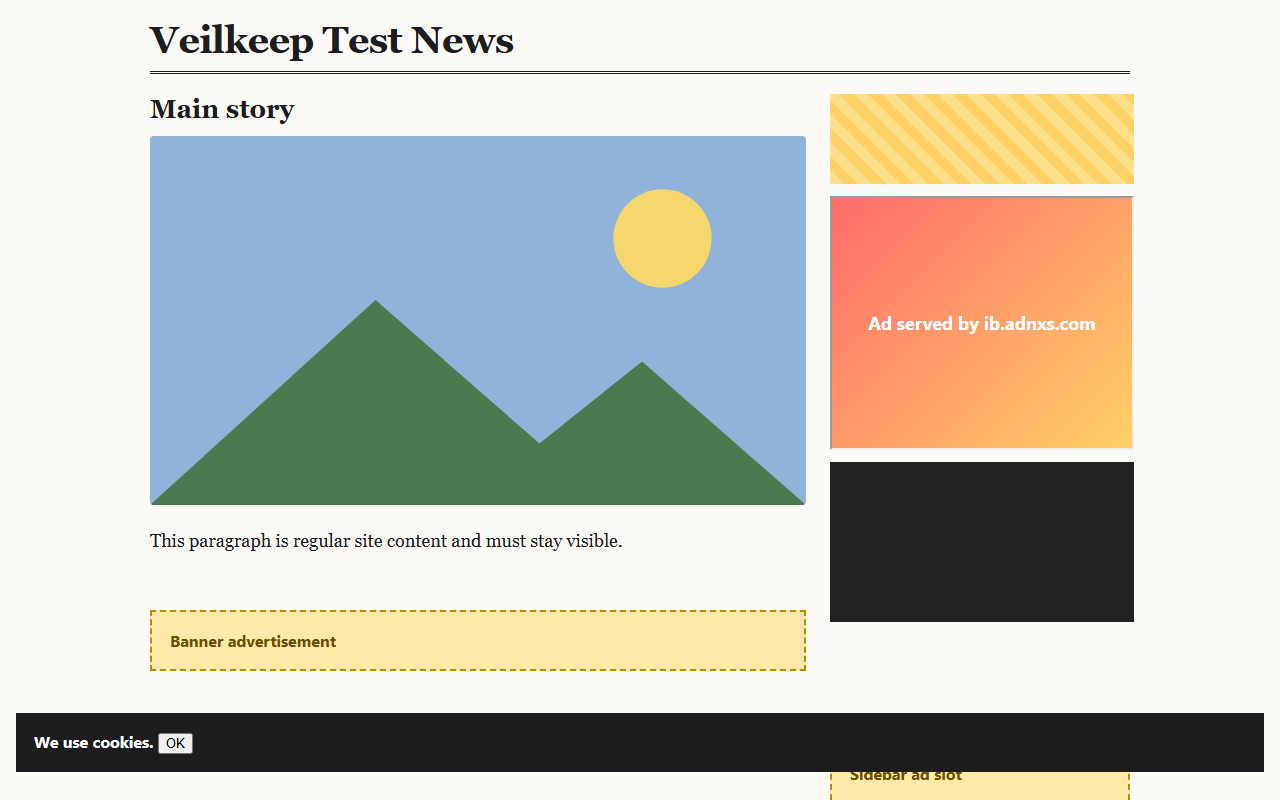
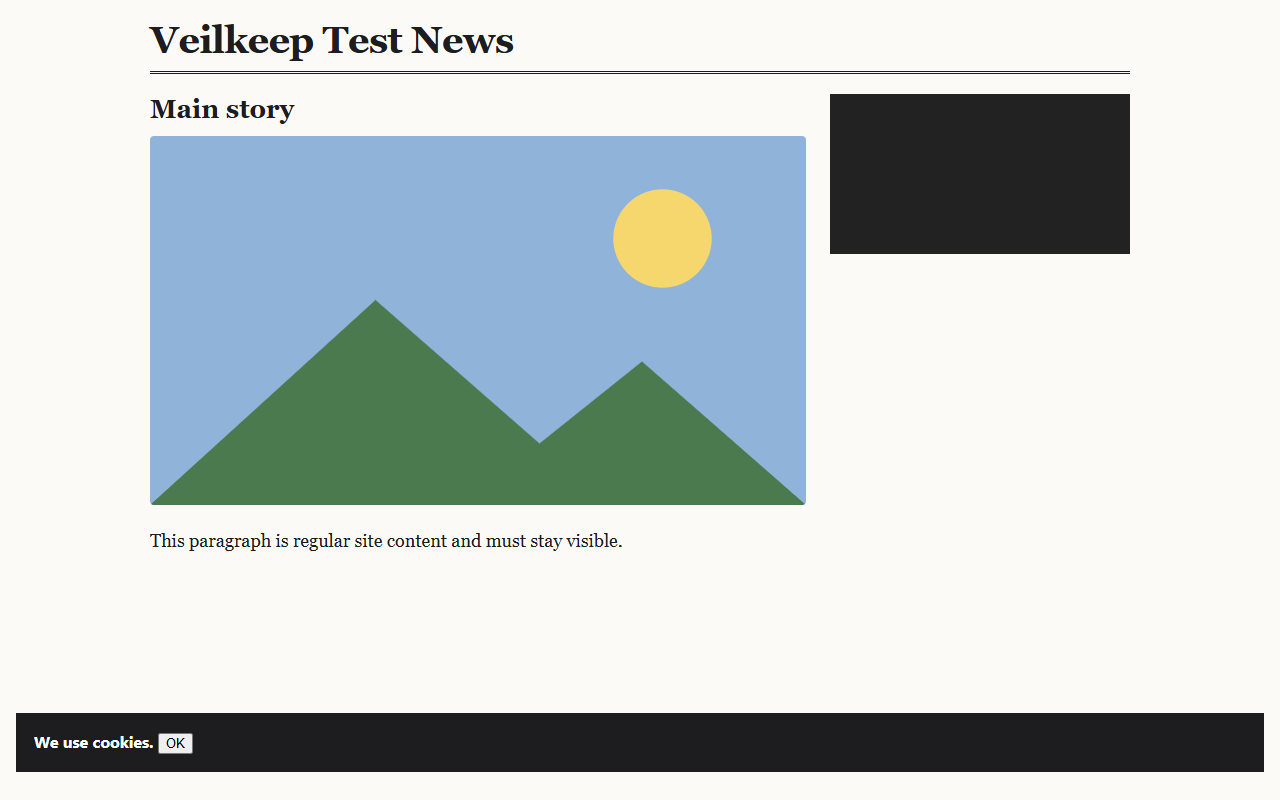
Honest details: with the default lists the empty frame of the blocked video player and the cookie notice remain (the annoyance list that hides cookie notices is off by default). Nothing in these images is edited.
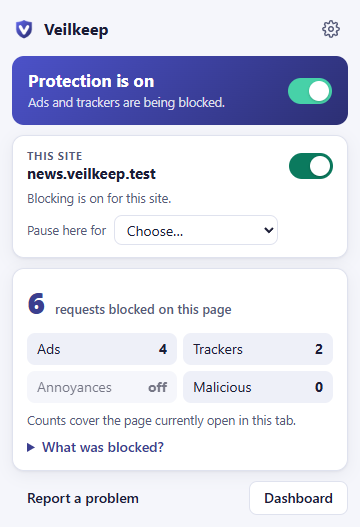
The popup on that page: per-category counts reported by the browser for this tab.
How it works
Veilkeep does the heavy lifting at build time, so at runtime there is almost nothing left to do: the browser applies the rules itself, even while Veilkeep's service worker sleeps.
206,849 lines
EasyList, EasyPrivacy, Fanboy's Annoyance List, Online Malicious URL Blocklist. Pinned snapshots, each checked against a SHA-256 lock before every build.
196,283 filters converted
Exact conversion only. Domain filters are merged: EasyList goes from 56,214 to 3,782 rules. 7,201 filters that need scripts are dropped, not approximated.
23,597 rules
Shipped inside the extension and enforced by Chrome/Edge's declarativeNetRequest engine, within the 30,000 rules the browser guarantees.
Nothing leaves
Blocked requests never start. Optional element hiding removes leftover ad boxes. No code from lists ever runs.
Features
EasyList, EasyPrivacy and the URLhaus malicious-URL list, on by default. An annoyance list for cookie notices and pop-ups is one switch away.
Turn blocking off for a site, pause it for an hour or until the browser restarts, or pause everything. Reload and you are done.
Hiding leftover ad boxes needs page access, so Veilkeep asks first and lets you grant it for all sites or just the ones you choose.
The popup shows how many requests were blocked on this page by category, and which filters matched.
Write block, exception and element-hiding rules in familiar filter syntax. Every rule is validated; none is ever run as code.
Removes the ad data YouTube sends to its player so video ads are not requested, hides ad containers, and falls back to muting and pressing Skip. YouTube changes often, so an ad can occasionally slip through.
The dashboard
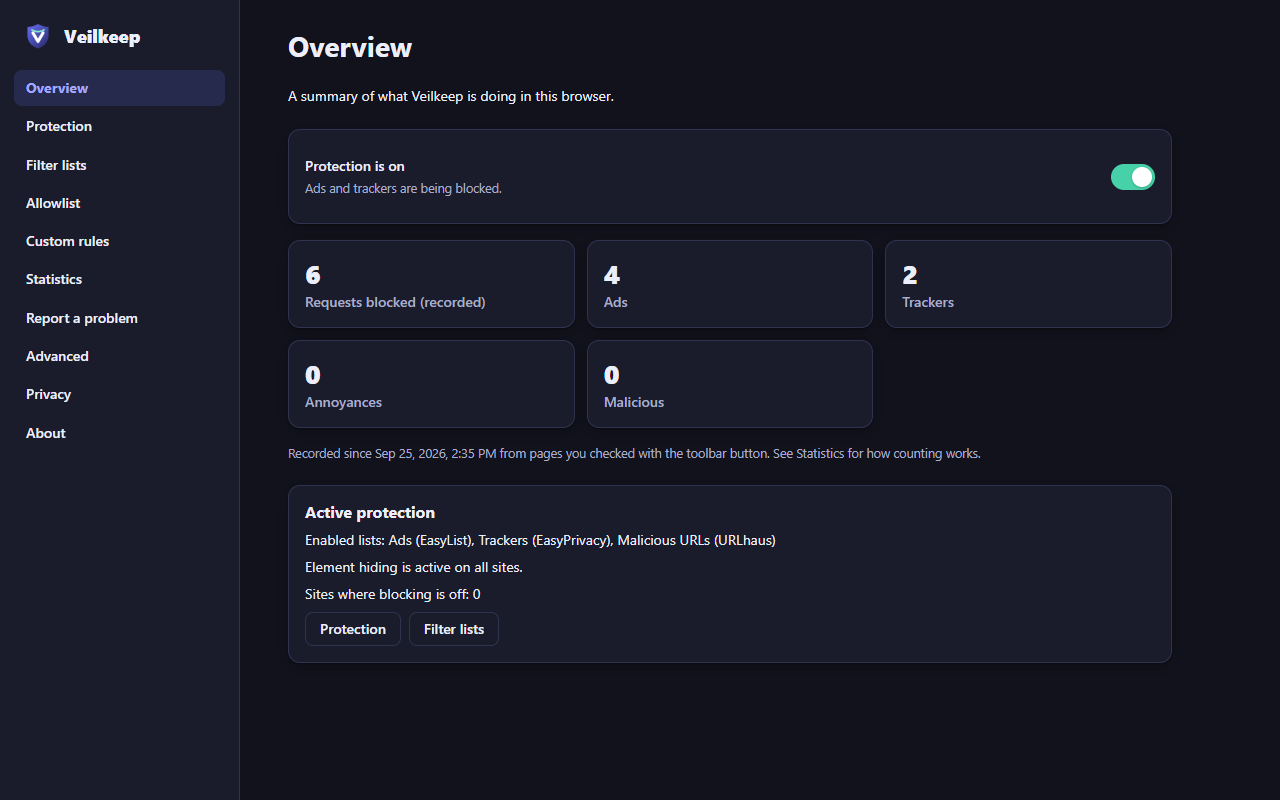
Real screenshots of Veilkeep's dashboard. Every control is keyboard- and screen-reader-accessible, and the design follows your system theme.
Privacy
Your settings, allowlist and statistics stay in your browser profile. Veilkeep asks for the fewest permissions that can do the job.
network requests from the extension
enforced by a build check that fails on any unapproved URL in shipped code
analytics or telemetry
no crash reporting, no usage pings, no remote logging
rules downloaded while you browse
lists ship inside the extension and update with it
accounts, ads or data sales
there is no server that could receive your data
5 permissions, 0 site access. Access to pages is optional and only requested if you turn on element hiding.
Read the privacy policy →Proof, not promises
One command runs every check below. The latest run passed all 16 gates on September 25, 2026.
npm run verifyChromium
v153
passed, 0 failed
Microsoft Edge
v153
passed, 0 failed
Google Chrome
v153
passed, 0 failed
Real Chromium, Microsoft Edge and Google Chrome load the extension and browse an offline test web. Blocked requests never reach the test server, so results reflect what the browser actually did.
These ad and tracker endpoints are confirmed blocked by the regression suite:
…and 38 checks confirm that essential requests of major sites (search, mail, docs, maps, video playback, sign-in, CDNs) are not blocked.
lines of TypeScript, HTML & CSS
5,713 extension · 3,407 tests · 1,441 tooling
automated tests
159 unit · 32 integration · 48 regression · browser suite ×3
ms to open the popup
Edge 68 ms · Chrome 78 ms (median of 5)
words of documentation
23 documents: architecture, security, privacy, store compliance
Reproducible release package
2.38 MB ZIP, byte-for-byte identical on every rebuild · third-party code shipped: css-what
sha256 a1ff3e0015a410723bdb8585c8cec562eb888d3f43a9e3f04161d831b841601d
Honesty
Trust starts with limits stated plainly. These are documented in full in the project's testing report.
Some ads come from the same servers as the content. 7,201 list filters need scripts or syntax Veilkeep deliberately does not run, so they are skipped.
Veilkeep removes the ad instructions YouTube sends to the player, hides ad containers, and as a fallback mutes ads and presses Skip when YouTube offers it. YouTube changes its code often, so an ad can occasionally slip through.
Rules ship inside the extension, reviewed by the stores. The malware list changes upstream every 12 hours; Veilkeep is only as current as your installed version.
Browsers only report blocked requests for the tab you are looking at unless an extension can read your browsing history. Veilkeep chose not to ask for that.
Free and open source. Chrome and Microsoft Edge 121 or later.